Website Structure
Reach Customers Who Are Ready to Buy Right Where They Search


Reach Customers Who Are Ready to Buy Right Where They Search
Website structure organizes pages, content, navigation, and user paths so visitors quickly understand your business, find important information, explore services, and take meaningful actions without confusion or unnecessary friction online.
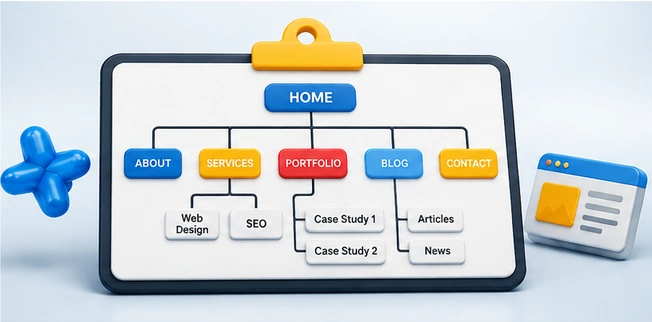
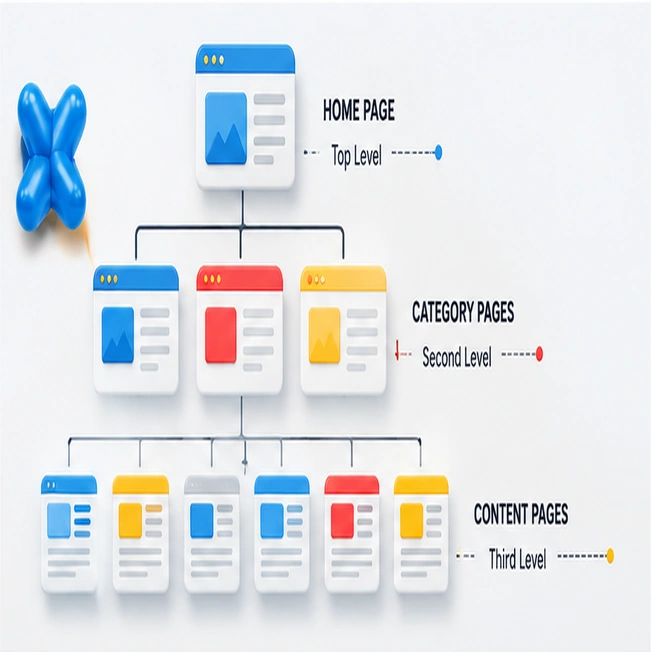
Sitemap planning maps every important page, section, and connection before design begins, helping teams organize content, avoid gaps, support SEO, and create a clear website foundation for smooth development later.
Content optimization improves headlines, keywords, readability, structure, links, and search intent alignment, helping your pages rank higher, engage visitors longer, answer questions clearly, and convert traffic into customers.
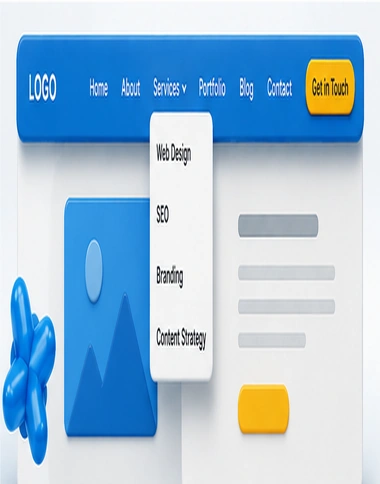
Navigation layout designs menus, links, labels, and pathways so visitors can move through your website easily, find services faster, reduce frustration, and complete important actions with greater confidence every time.
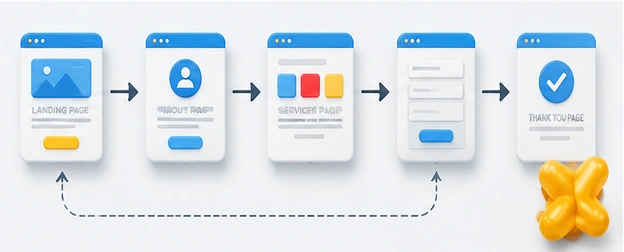
User flow plans the step-by-step journey visitors take, from landing on your website to reading content, comparing options, contacting you, requesting service, or completing a conversion smoothly and confidently.
Topic | Thought |
|---|---|
Core Pages | Identify essential pages that support goals, services, and customer decisions. |
URL Structure | Plan clean URLs that improve navigation, search visibility, and readability. |
Content Mapping | Match content topics to pages for clearer organization and relevance. |
SEO Priorities | Prioritize pages targeting valuable keywords, locations, services, and questions online. |
Site Sections | Group related pages into sections for easier browsing and understanding. |
Crawl Pathways | Create pathways helping search engines discover pages efficiently and accurately. |
Landing Pages | Plan targeted landing pages for campaigns, services, and local audiences. |
Content Gaps | Add missing pages that answer customer needs competitors may ignore. |
Redirect Planning | Map old URLs to new pages to protect search value. |
Launch Sitemap | Submit updated sitemaps so search engines index new pages faster. |
Topic | Thought |
|---|---|
Homepage Priority | Make the homepage guide visitors toward services, trust, and conversions. |
Parent Pages | Use parent pages to organize related subpages and strengthen context. |
Child Pages | Create child pages that explain specific services, topics, or locations. |
Service Grouping | Group services logically so visitors understand offerings without confusion quickly. |
Priority Content | Place important content higher where users and search engines notice. |
Breadcrumb Paths | Use breadcrumbs to show location and improve deeper page navigation. |
Internal Links | Connect pages strategically to guide visitors and distribute authority effectively. |
Category Structure | Create categories that make large websites easier to browse efficiently. |
Priority Levels | Define page importance so design, content, and links support strategy. |
Content Depth | Build depth with supporting pages that answer detailed customer questions. |
Topic | Thought |
|---|---|
Main Menu | Design menus that highlight key pages and reduce browsing confusion. |
Dropdown Menus | Use dropdowns carefully to organize options without overwhelming website visitors. |
Header Links | Place critical links where users expect fast access immediately online. |
Footer Navigation | Use footers to surface helpful links, policies, and contact information. |
Mobile Menu | Create mobile menus that are simple, thumb-friendly, and easy-to-use quickly. |
CTA Placement | Position calls-to-action where visitors naturally decide to move forward online. |
Menu Labels | Use clear labels that describe pages in familiar customer language. |
Search Access | Include search features for larger sites with complex content libraries. |
Navigation Testing | Test navigation with users to find confusion before launch day. |
Sticky Header | Keep key navigation visible while users scroll important pages online. |
Topic | Thought |
|---|---|
Entry Points | Understand where visitors arrive and what they expect first online. |
Awareness Path | Guide new visitors from curiosity toward trust and interest quickly. |
Decision Steps | Map steps customers take before calling, buying, or requesting information. |
Conversion Path | Create clear pathways leading visitors from interest to completed actions. |
Form Flow | Simplify forms so users submit information without unnecessary hesitation online. |
Purchase Journey | Design buying steps that feel simple, secure, and confidence-building. |
Support Path | Help users find answers before frustration interrupts their progress. |
Content Flow | Sequence content so each section naturally supports the next decision. |
Exit Points | Identify where users leave and improve those weak moments. |
Goal Completion | Make final actions obvious, easy, and reassuring for users. |







Simple, affordable pricing for individuals and growing business. Go annual and save 15%!!!!


Hello@marketer.com
2912 Meadowbrook Road, Los Angeles, CA 90017